PDF/A Format Explained for Archiving: What It Is and Why It Matters
Long-term archiving is more than saving a file “somewhere.” Months or years later, you need assurance that the document will open the same way, remain readable, and preserve fonts and layout. That’s where **PDF/A** comes in.
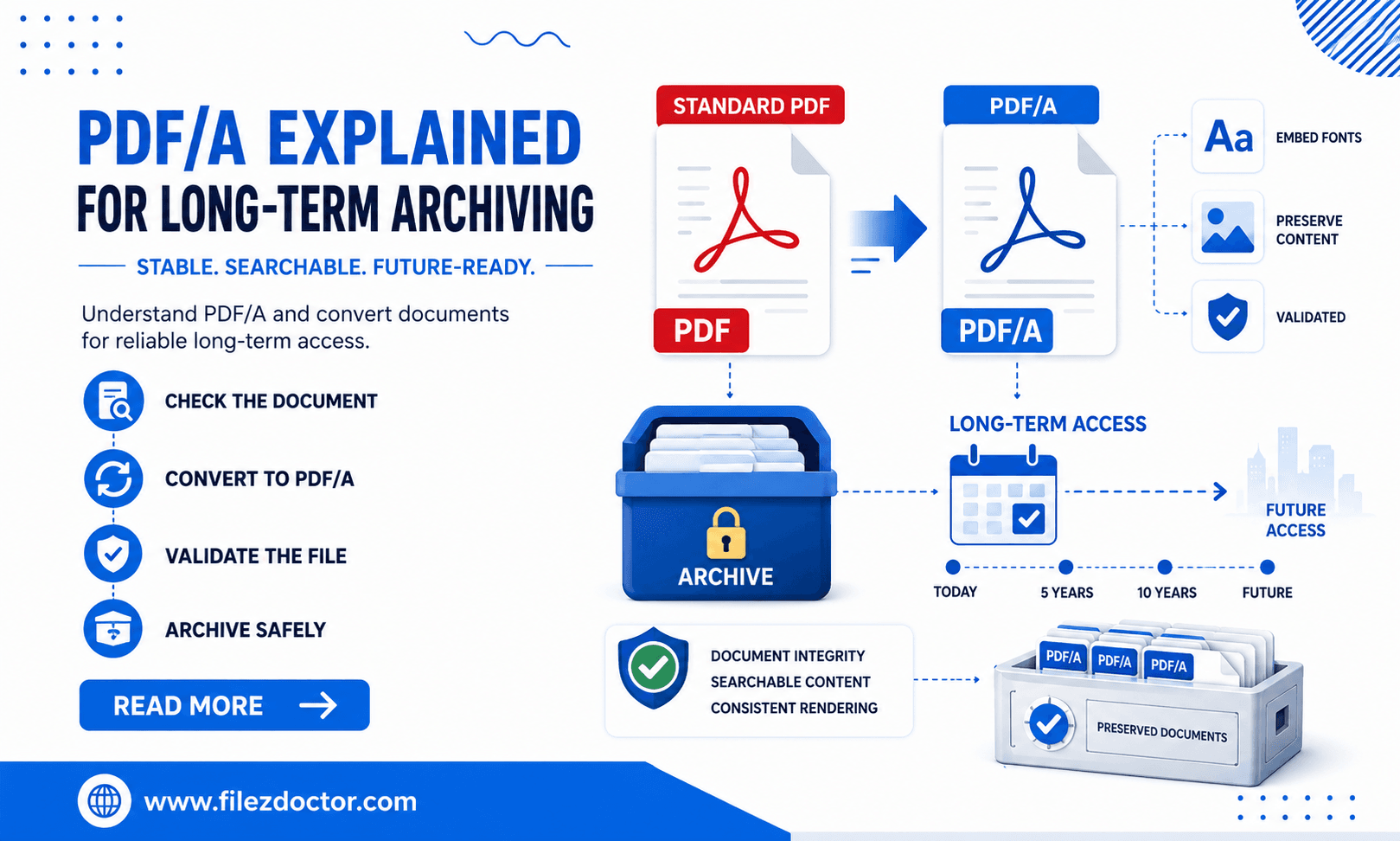
If your organization must keep records accessible over time, convert documents using PDF to PDF/A from FilezDoctor.
What is PDF/A?
PDF/A is an ISO-standardized version of PDF designed specifically for long-term preservation. The goal is simple: reduce the chance that a document will display differently because of missing resources, external dependencies, or unsupported features.
In standard PDF, authors can rely on elements that may not survive or may change later (for example, missing fonts, external references, or certain transparency behaviors). PDF/A limits or requires alternatives to improve stability.
Common reasons to use PDF/A
Organizations typically adopt PDF/A for:
1. Legal or compliance retention
Retention policies for filings, contracts, or audit trails often require preservation-friendly formats.
2. Government and records management
Archives need consistency across different software and operating systems.
3. Document longevity for customers
If customers will download your documents years from now, PDF/A reduces compatibility surprises.
4. Reduced “it looks different” support requests
When you enforce preservation rules, you spend less time troubleshooting display issues.
PDF/A levels, in plain language
PDF/A is not one single rule set. It has conformance levels (commonly PDF/A-1, PDF/A-2, and newer variants), each adding constraints and capabilities.
You don’t necessarily need to memorize the entire standard to make good decisions. A practical approach is:
- If you need broad archival compatibility, pick a commonly supported PDF/A level required by your organization.
- If you rely on features like embedded fonts and modern metadata handling, ensure the chosen level matches your workflow needs.
When in doubt, check your internal policy or the receiving system’s requirements.
Benefits of converting to PDF/A
Fonts and layout stay consistent
PDF/A pushes you toward embedding fonts and avoiding external font dependencies.
Fewer external references
Your document is less likely to depend on content that might disappear later.
Predictable behavior across viewers
Conforming documents typically render more consistently across environments.
Better archival readiness
PDF/A is designed to be verifiable for compliance, which helps with audit workflows.
Step-by-step: convert your PDF to PDF/A
Step 1: Confirm the requirement
Before converting, confirm:
- which PDF/A level you need (if your policy specifies it),
- whether the recipient system expects a specific conformance level,
- whether the document must be read-only after conversion.
Step 2: Start with the final PDF version
Convert the document you intend to archive. If the PDF will be edited later, the PDF/A conversion is no longer the “final preservation copy.”
Step 3: Convert using FilezDoctor
Use PDF to PDF/A:
- Upload your PDF.
- Choose the PDF/A target if options are available.
- Convert and download the PDF/A file.
Step 4: Validate the result
After conversion, confirm:
- the document opens correctly in your usual viewer,
- text is readable at typical zoom levels,
- tables and diagrams maintain their layout,
- there are no missing font or resource warnings.
Step 5: Archive the PDF/A copy, not the editable original
Save the PDF/A version as the preservation record and keep any working copies separate.
Common pitfalls to avoid
Pitfall 1: Assuming PDF/A guarantees perfect rendering
PDF/A improves stability, but conversion cannot correct every issue from the source. If the original PDF has flawed layout, the converted PDF/A may preserve that same flawed layout.
Pitfall 2: Converting drafts or unfinished documents
If your archive copy needs to match a submission, convert only after final review.
Pitfall 3: Forgetting to embed required resources
Well-formed conversion should handle this, but if your workflow repeatedly converts older PDFs, you may carry forward problems.
Pitfall 4: Treating PDF/A as a one-time “set and forget”
Policies change and so do archive viewer expectations. Periodically confirm that your archived PDF/A files remain accessible and compliant.
A quick PDF/A readiness checklist
Before you convert and archive, run a simple sanity check:
- Does the PDF contain the fonts, logos, and diagrams you expect to survive?
- Is the document truly final (not a draft you plan to re-export next week)?
- Will the receiving system accept your chosen PDF/A level?
These steps take only a moment, but they prevent the most common archival failure mode: creating a preservation copy too early or into the wrong destination requirement.
FAQ
Is PDF/A the same as normal PDF?
No. PDF/A is a preservation-focused subset/superset with restrictions that improve long-term stability.
Do I need PDF/A for every document?
Only if your retention requirements or receiving systems specify it. For everyday sharing, normal PDF may be sufficient.
Will converting to PDF/A change my document content?
It shouldn’t alter your intended text and layout, but it may embed fonts or adjust unsupported features to meet PDF/A constraints.
How do I know my PDF/A conversion succeeded?
Open the resulting file and check for warnings in your viewer or your organization’s validation process. The safest approach is to validate against your internal standard.
Ready to optimize your PDFs?
Experience the world's fastest PDF tools today.